OPPO Phone Anti-loss Notification Permission Setting(ColorOS7.x)
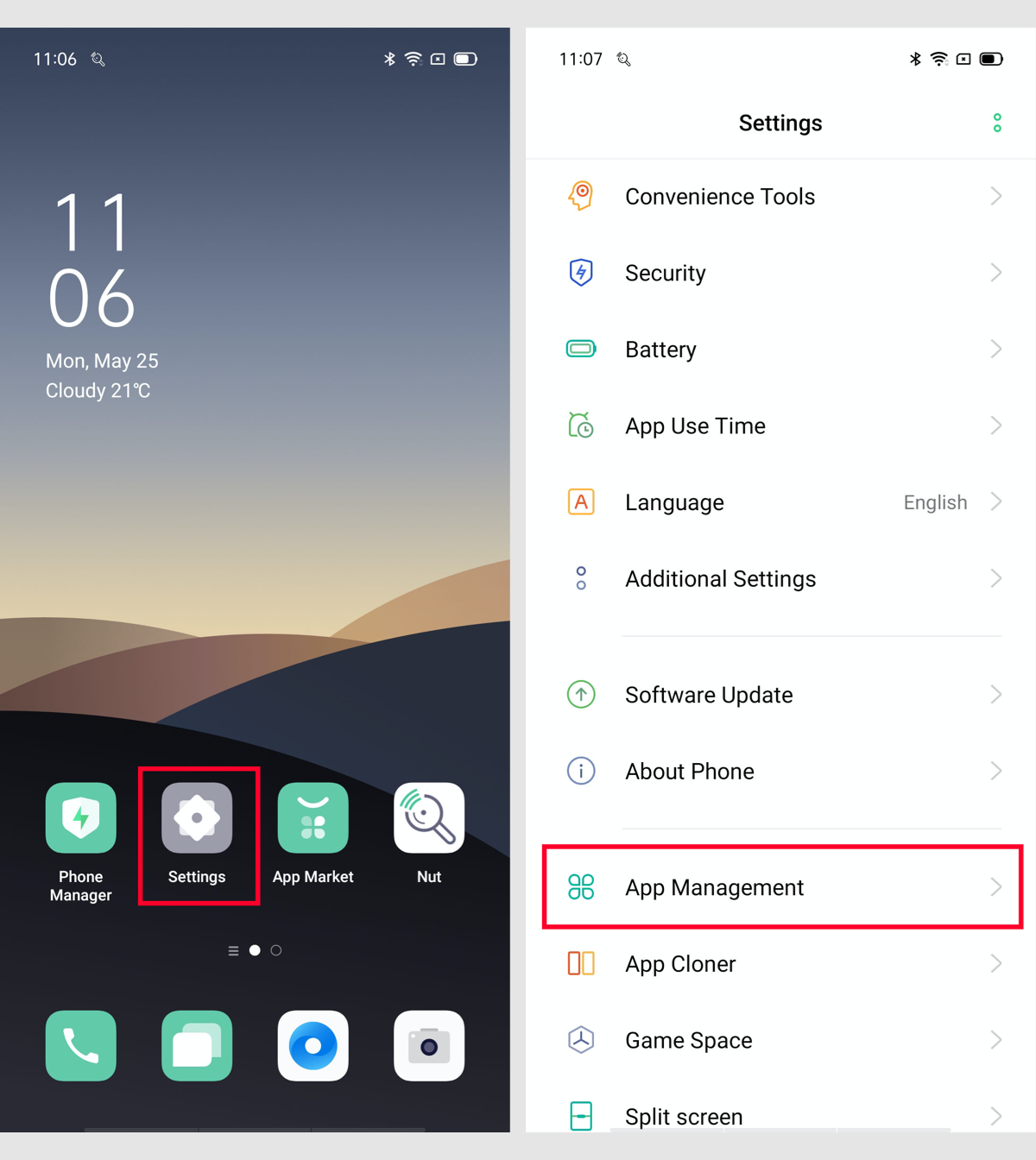
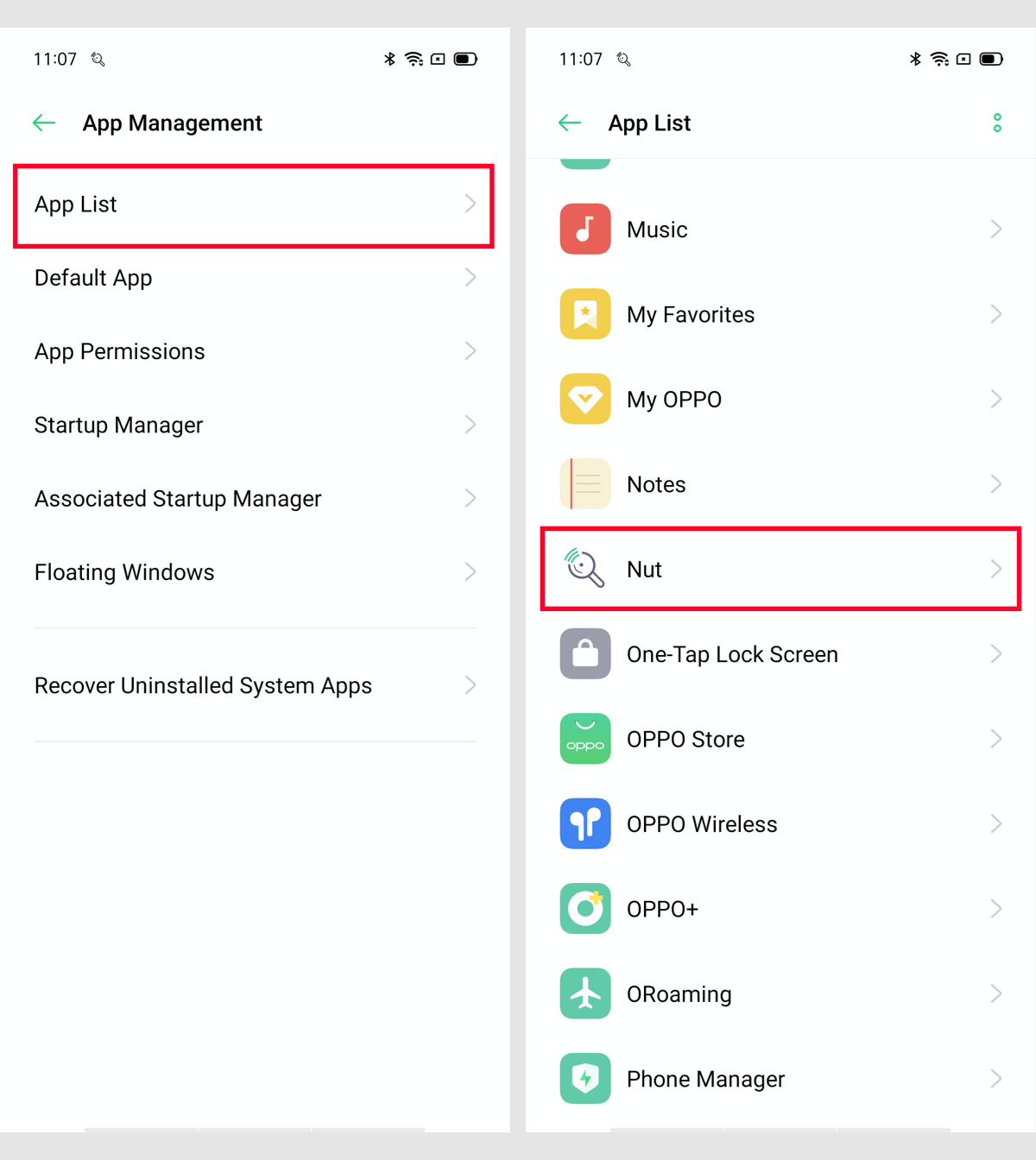
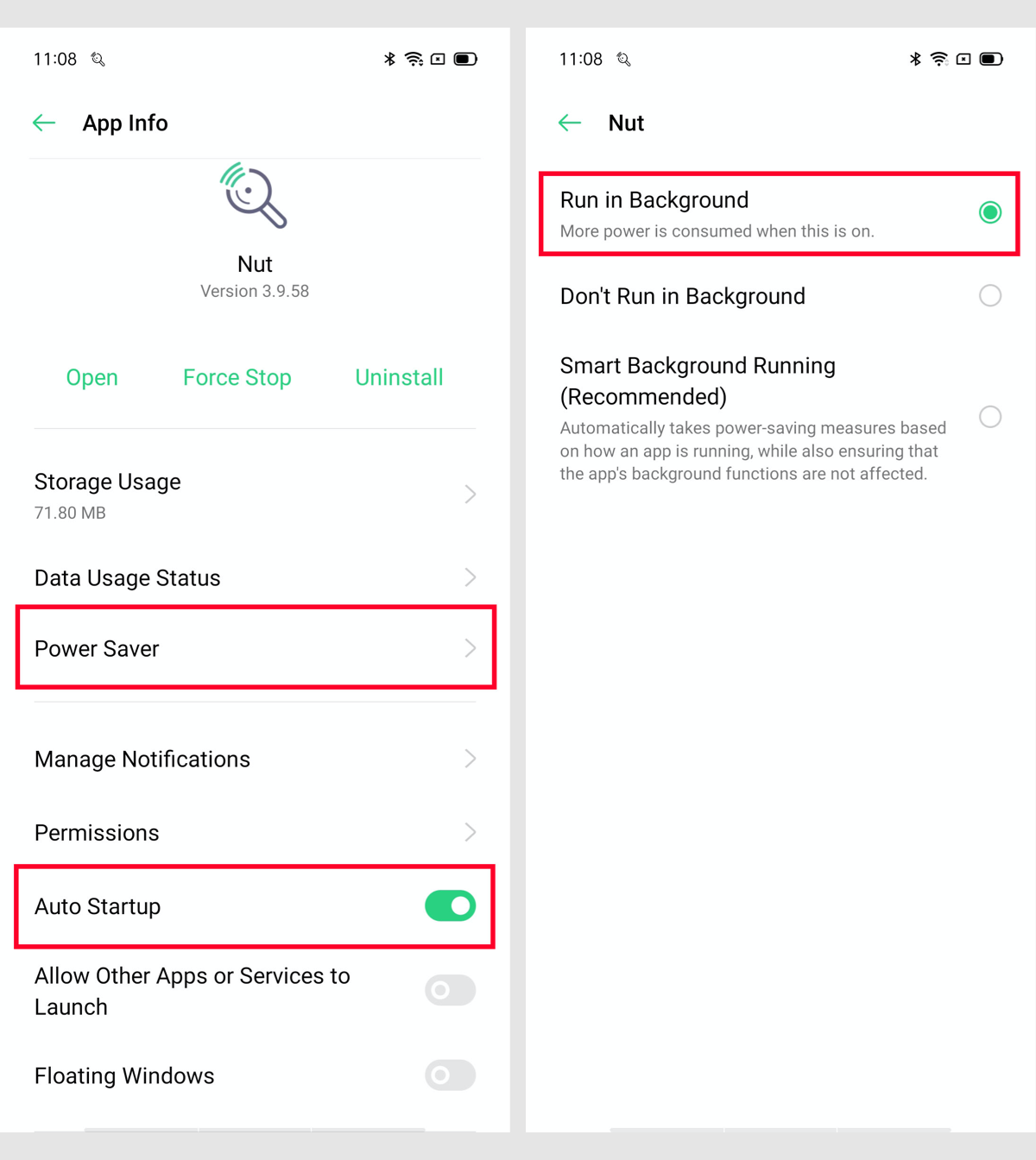
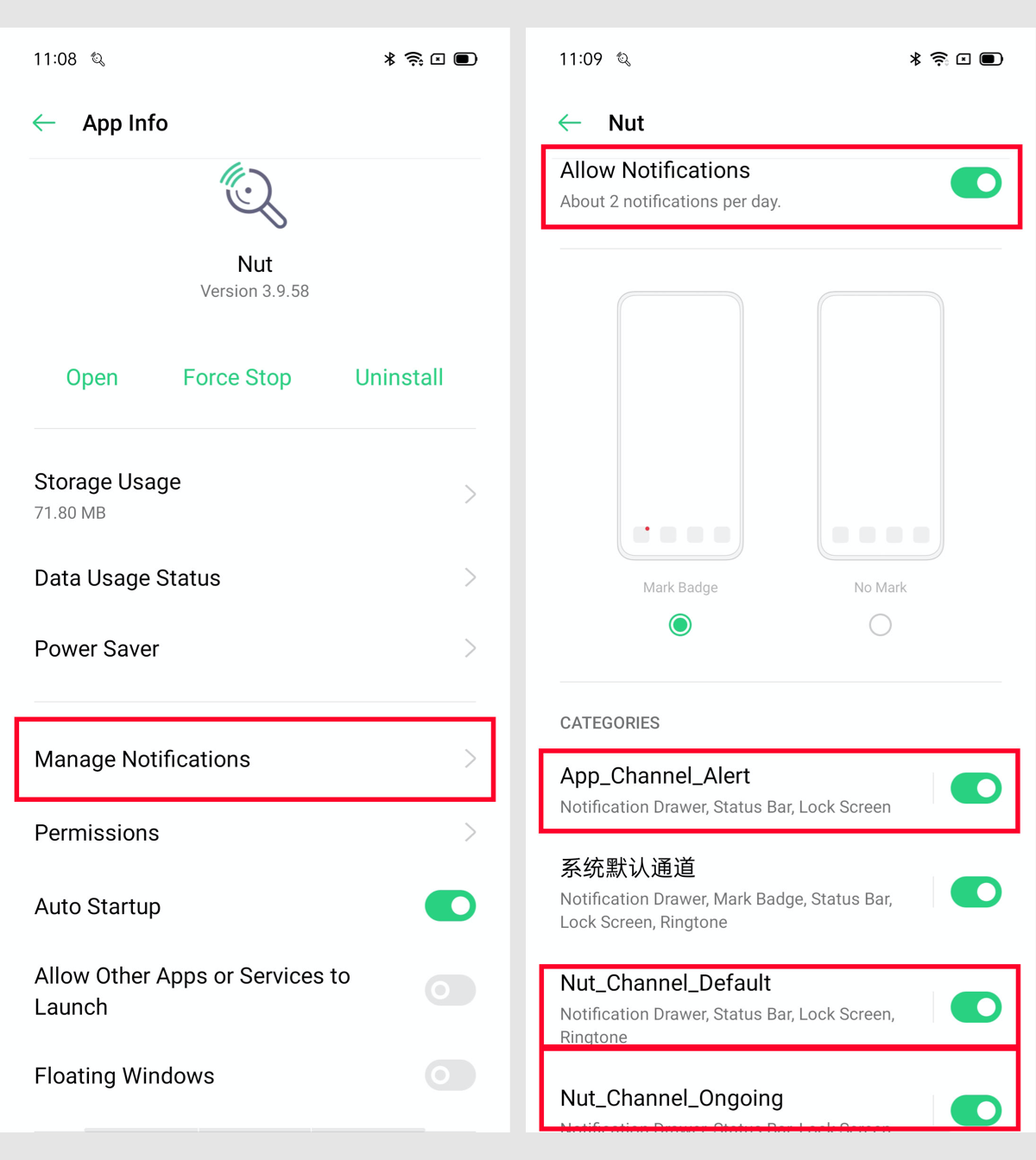
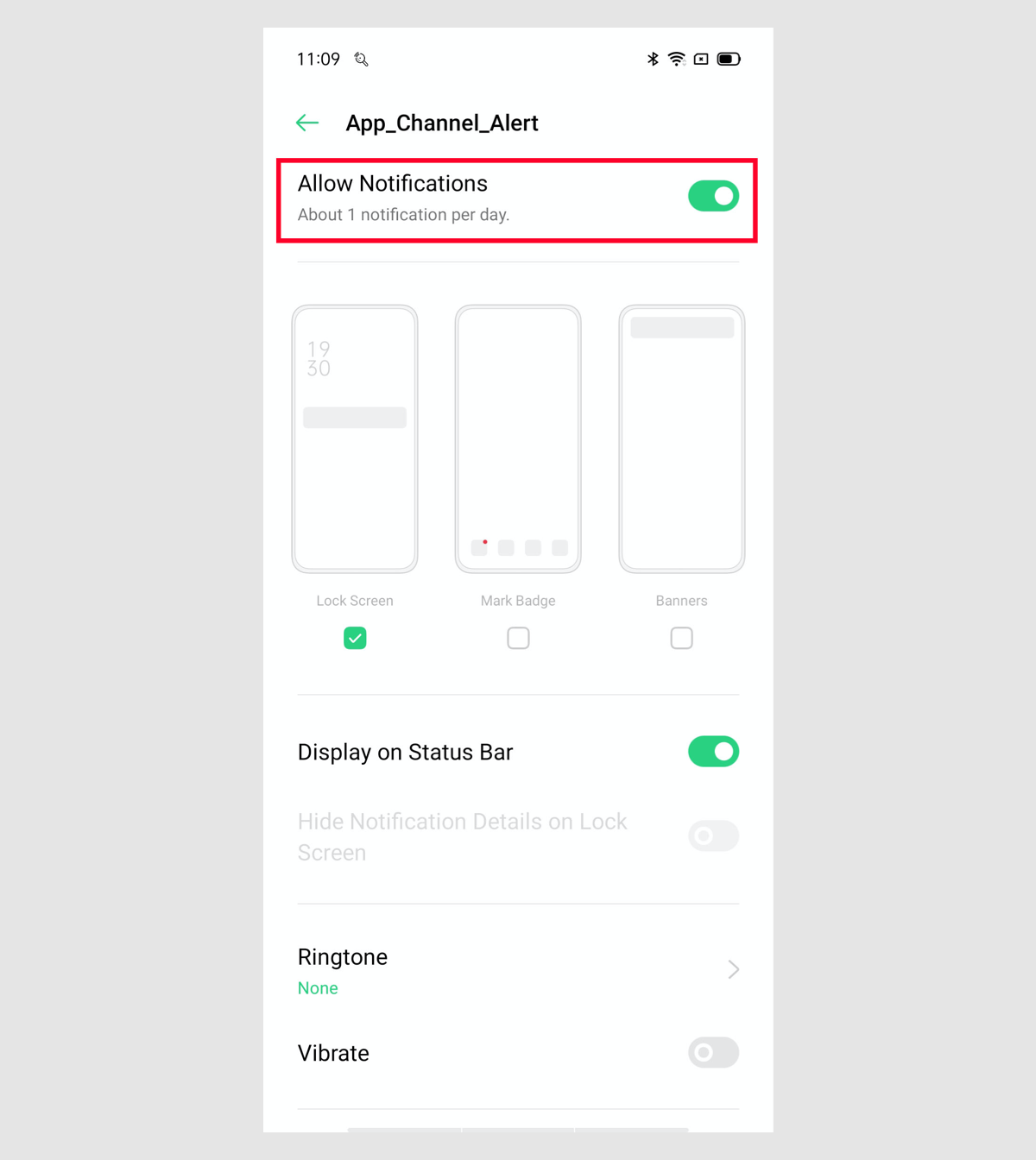
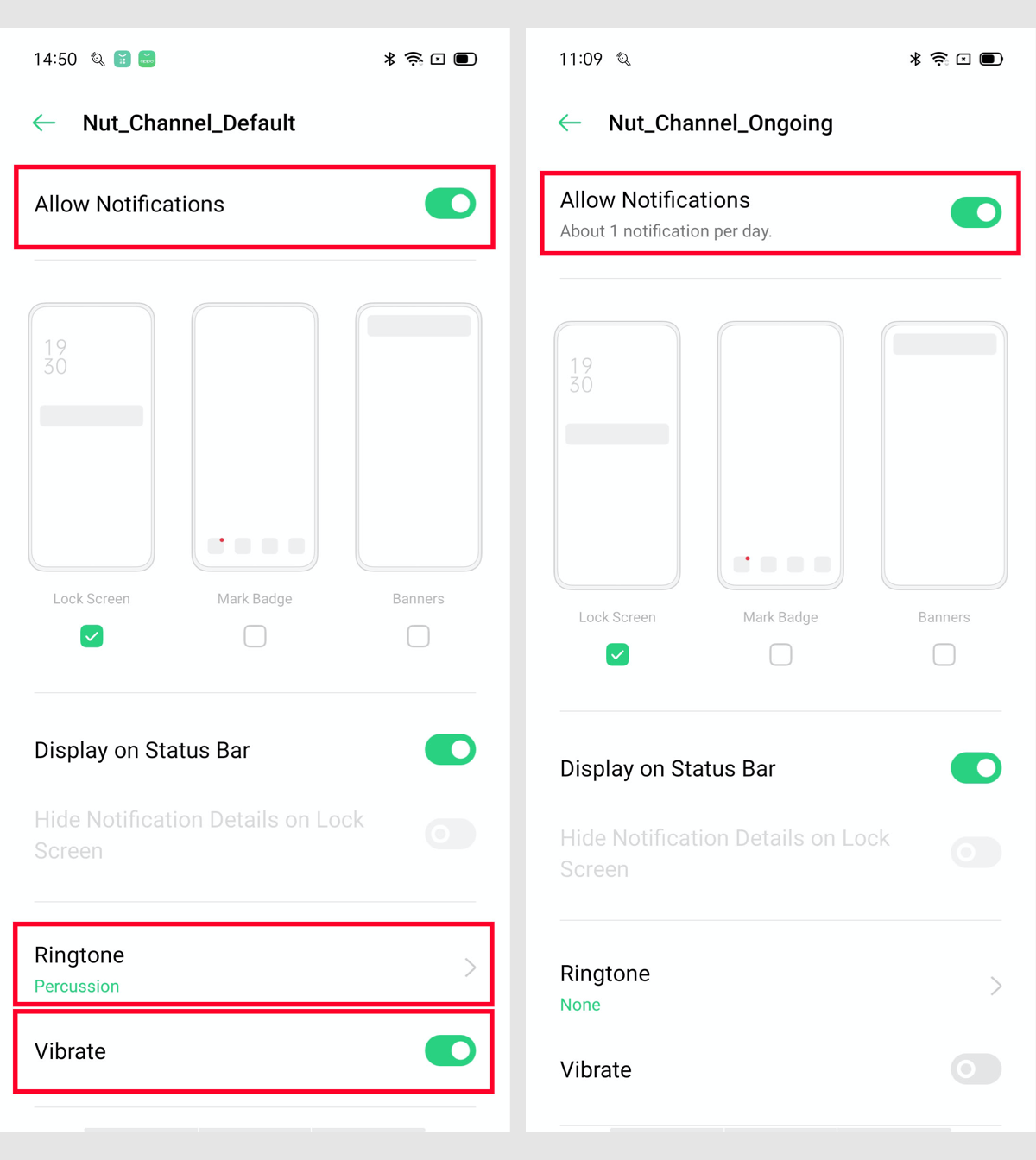
1.Go to the System "Settings" --> Scroll down to "App Management" and click --> Click "App List" --> Find the "Nut" app in the list and click --> Enable "Auto Startup" --> Click "Power Saver" --> Enable " Run in Background"; Click "Manage Notifications" --> Enable "Allow notifications"; Click "AppChannelAlert" --> Only enable " Allow notifications"; Click "NutChannelDefault" --> Enable "Allow notifications" "Ringtone" "Vibration" etc.; Click "NutChannelOngoing" --> Only enable " Allow notifications".
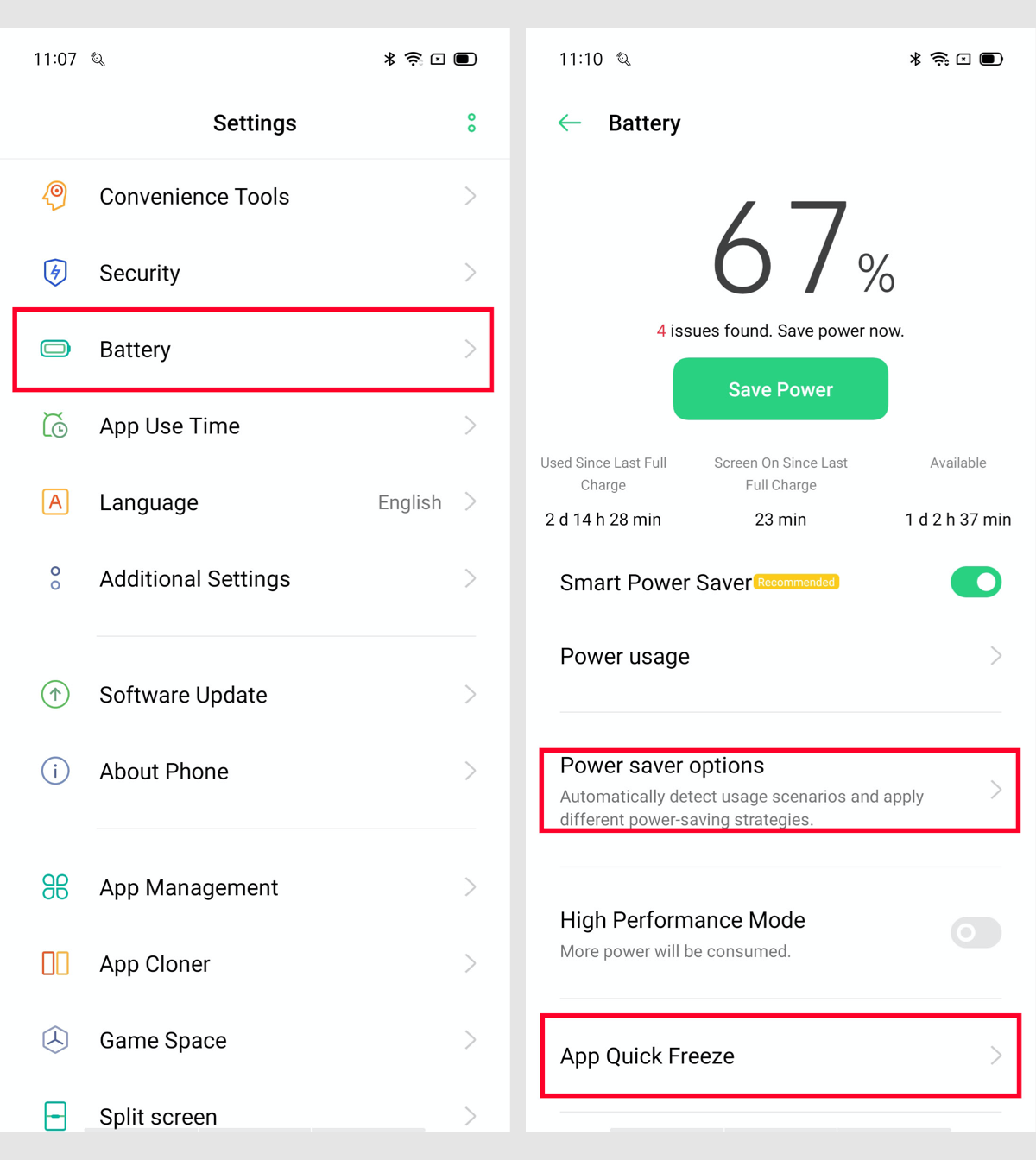
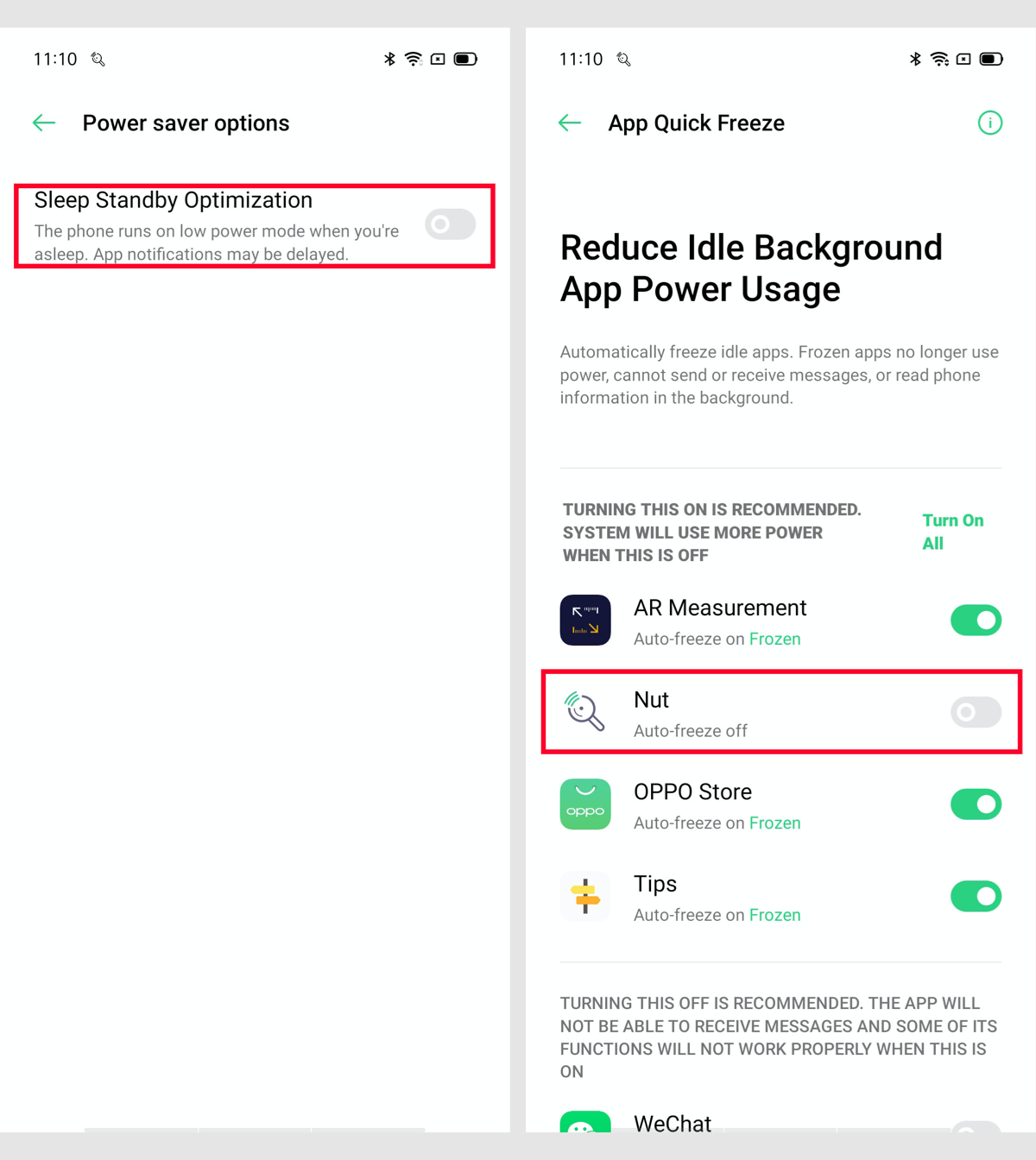
2.Go to the System "Settings" --> Scroll down to "Battery" and Click --> Click "Power saver options" --> Disable "Sleep Standby Optimization" -->Click "App quick freeze" -->Disable "Nut".
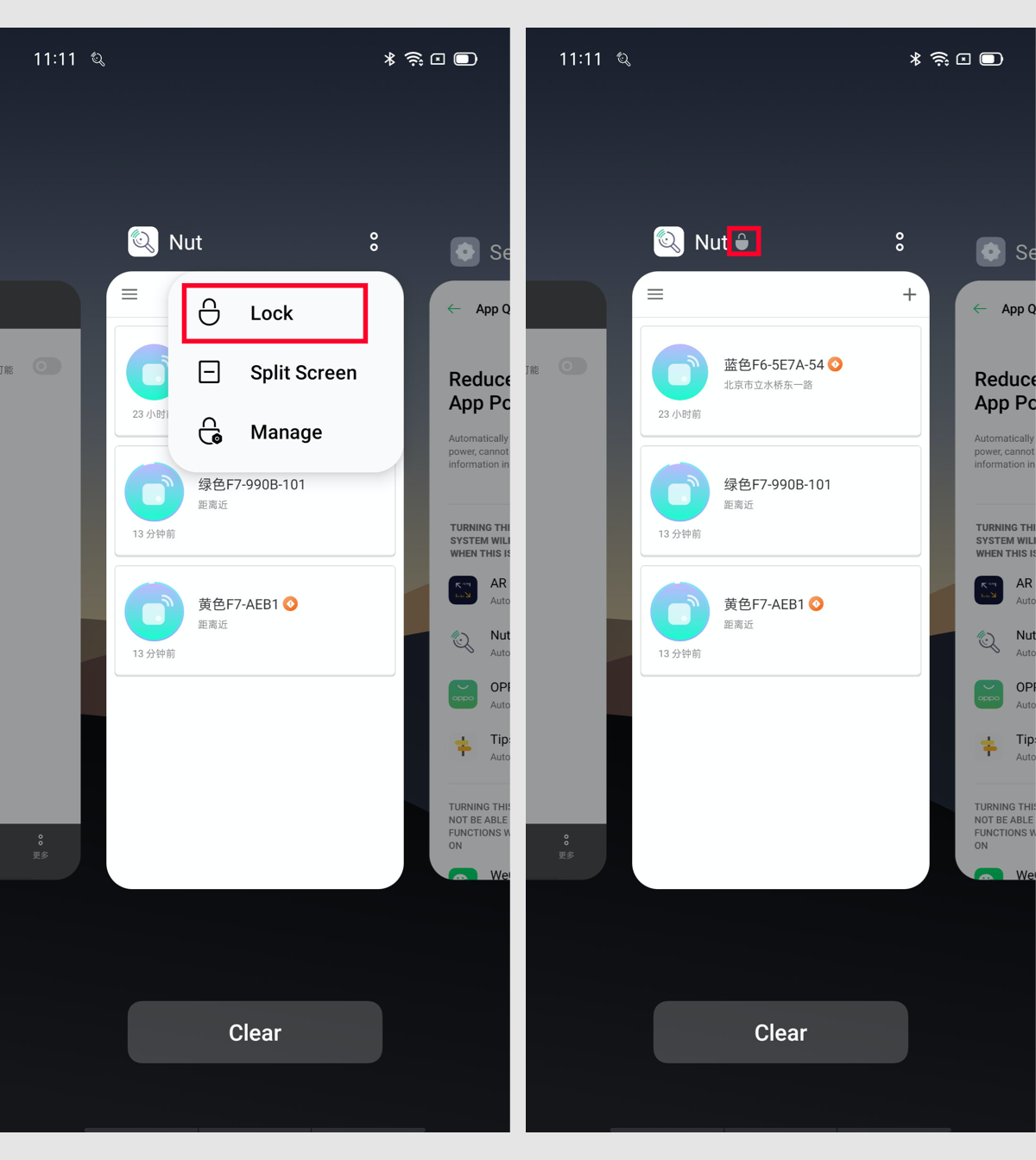
3.Swipe up on the home screen to enter the "Multitasking interface"(or Click to "Task button" at the bottom left of the Home screen) --> Find "Nut" in the app list – Click on the upper right corner and click on "Lock" --> The "lock" flag appears in the upper right corner to indicate that the setting is successful.